Book Tracker Spreadsheet: Build One, or Use a 14-Tab File That Fills Itself In
Book tracker spreadsheet guide: the columns and formulas to build your own in Google Sheets or Excel, plus a 14-tab file that fills itself in from one entry.
By Ultimate Book Tracker by Cosmo Suite · Editorial policy
Published · 8 min read
You finish a book, open your reading app, and discover there's no way to mark it a reread. The ninth DNF of the year gets filed as "read" because nothing else fits. The audiobook counts as a book, but its listening hours are recorded nowhere.
A book tracker spreadsheet is a sheet where one row is one book, and every status, rating and total is a column you chose. The short answer: build your own if you like tinkering, or start from a ready file if you'd rather read than wire formulas.
This guide gives you the columns and formulas to build one, the traps that make sheets quit on people, and what a finished 14-tab file looks like.
The Short Version
- One row per book, one column per thing you care about, and a few formulas for the totals.
- Give DNF, reread and audiobook their own fields, because that's where apps fall short.
- A DIY sheet is free and takes an evening. A ready file costs a few dollars and takes ten minutes.
- Enter each book once. Every total, shelf and wrap-up should read from that one row.
Why Readers Move Their Reading Into a Sheet
Readers move to a spreadsheet because it records details their app ignores, and because the file remains theirs.
The usual reasons are rereads the app cannot count, abandoned books that disappear, audiobooks without listening hours, editions that look identical, and half-star ratings that get rounded off. Add the concern that nine years of history sits on a server you don't control.
Reading is also less common than it feels from inside a book club. The National Endowment for the Arts found that fewer than half of US adults read a book in the 12 months before its 2022 survey. If you log your reading at all, you're already the kind of reader who wants the record to be right.
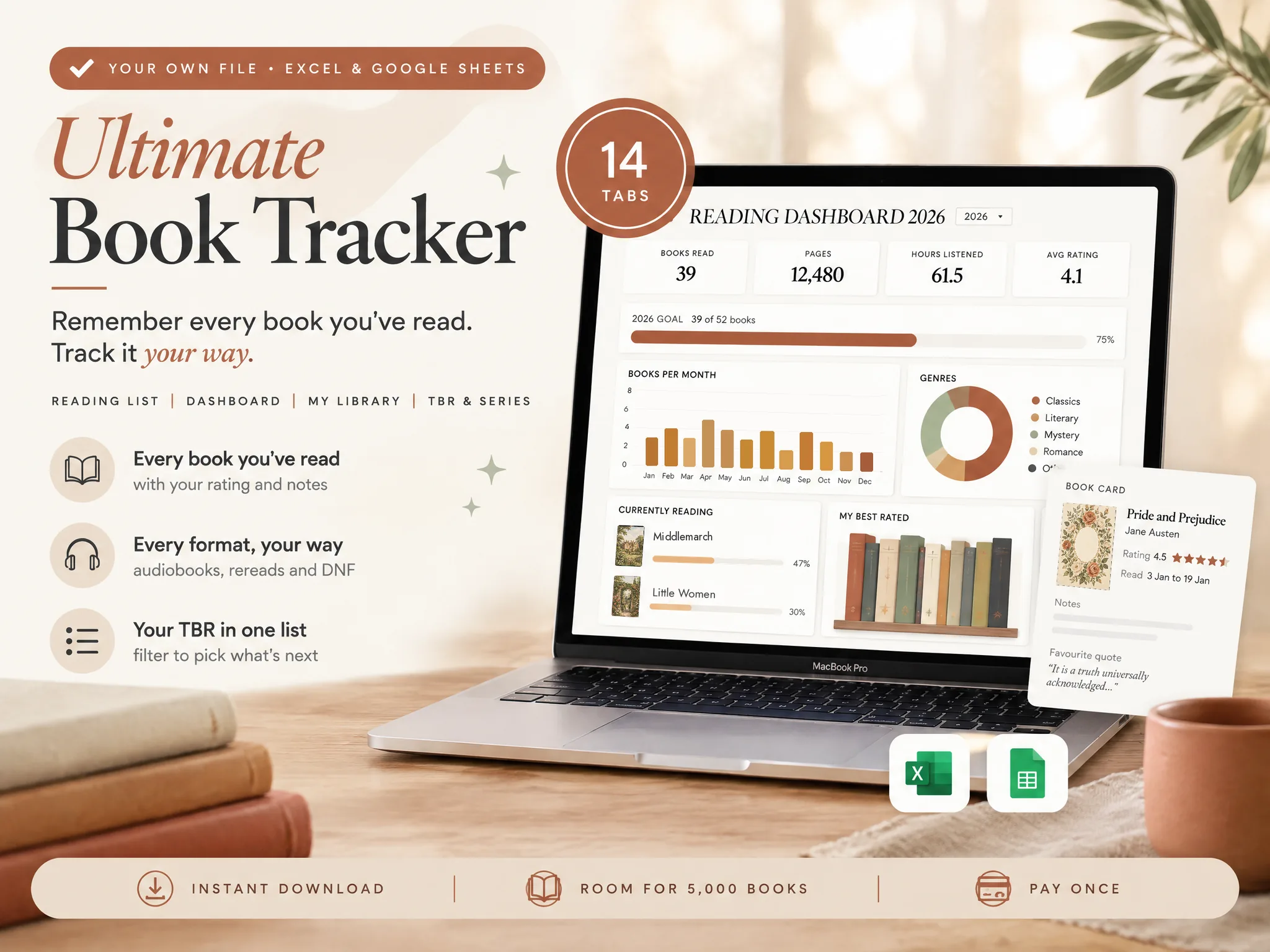
A sheet gives you that, and you pay for it by choosing the columns and keeping the formulas working. You can take that on yourself, or start from a ready file like the Ultimate Book Tracker (by Cosmo Suite: one Excel and Google Sheets file, 14 tabs, $9 once). The next sections show both routes.
Book Tracker Spreadsheet at a Glance
This table compares the four ways readers keep a log, so you can pick before you build.
| Way to track | Rereads, DNF, audiobooks | You own the file | Setup time | Best for |
|---|---|---|---|---|
| Reading app (Goodreads, StoryGraph) | Varies by app | No | Minutes | Social features and a phone-first habit |
| Printable page or paper journal | Yes, you write anything | Yes | None | The ritual of writing it down |
| DIY spreadsheet | Yes, if you add the columns | Yes | An evening | Tinkerers who like formulas |
| Ready-made spreadsheet | Yes, built in | Yes | About 10 minutes | Readers who want stats without building |
Apps win on community and speed, and they're the sensible choice if you want friends' reviews or barcode scanning. A spreadsheet wins when doing it your way matters more than doing it fast. A printed journal can sit beside a sheet, and the ready file below includes one.
One Reading Year, Worked Through
The easiest way to see what a spreadsheet does is to fill a year into it. For example, take the sample year below. We made it up for illustration, so it is not a real reader's.
Two terms first. DNF means did not finish, a book you started and set down. A reread is a book you finish again and count again.
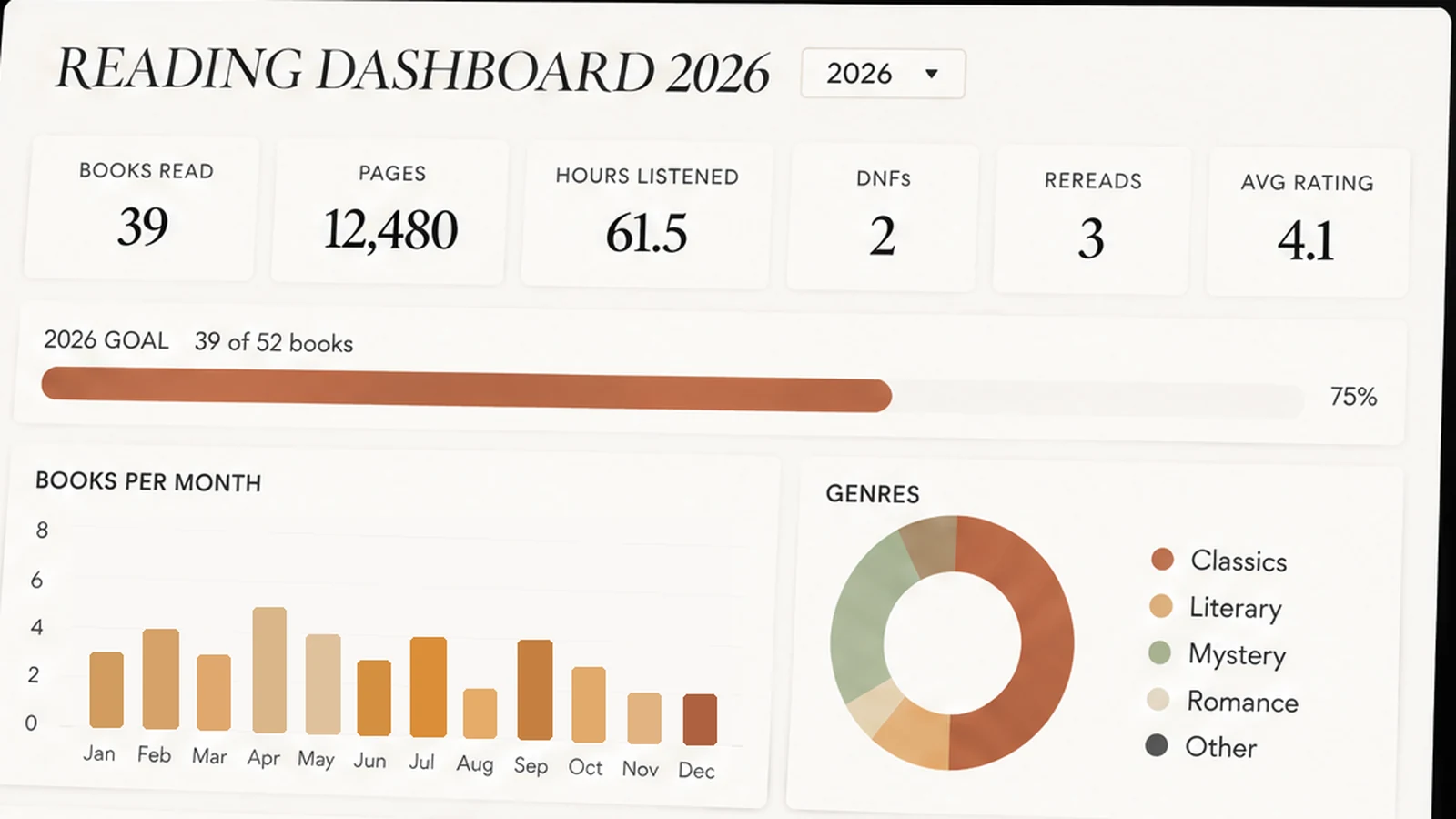
Now say you log 42 finished books. Nine others were DNFs, each with the page you stopped at. Three were rereads. Fourteen were audiobooks, 61 hours in all. One fantasy series is four books in, with three to go. Your average rating, in half stars, is 3.75.
An app would give you the 42, perhaps. In a sheet, however, you get the full picture: 42 books and 9 DNFs is 9 quits out of 51 starts, roughly one book in six, which tells you a lot about how picky you were. Fourteen audiobooks is a third of your year, so a pages total alone undercounts your reading unless the 61 listening hours sit beside it.
Each count above is one formula over one column, as the next section shows.
How to Build a Book Tracker Spreadsheet Yourself
A DIY book tracker needs one tab, about ten columns and four formulas. You can have it running in an evening.
Step 1: Set Up the Columns
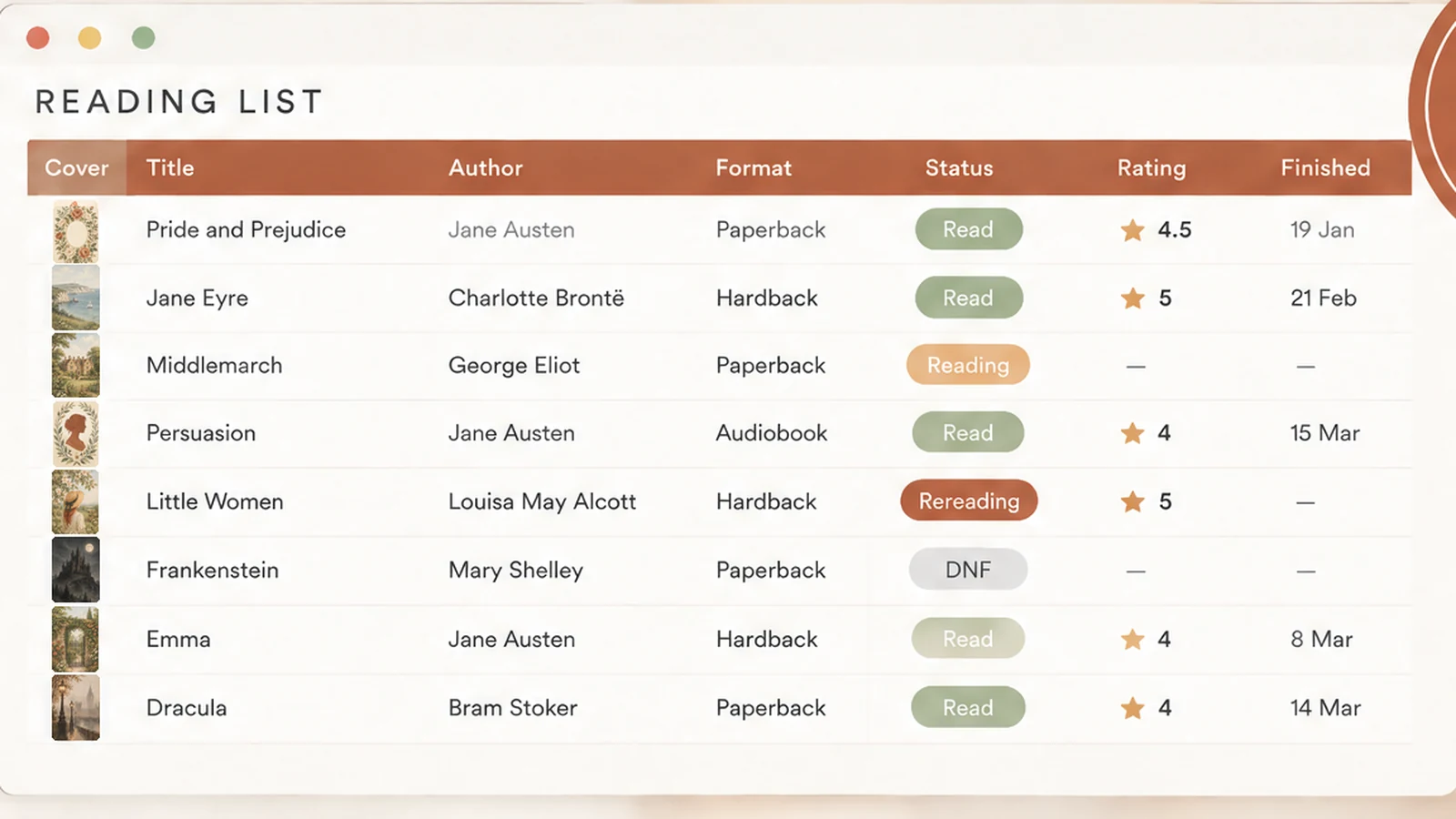
Make a Reading List tab with one row per book. These ten columns cover most of what readers want:
| Column | What goes in | Tip |
|---|---|---|
| Title, Author | Text | Keep one author format |
| ISBN | Digits only | Needed for covers later |
| Format | Hardback, paperback, ebook, audiobook | Use a dropdown |
| Status | TBR, Reading, Read, DNF, Rereading | Use a dropdown |
| Finished | A date | Drives your monthly totals |
| Pages, Hours | Numbers | Pages for print, hours for audio |
| Rating | 0.5 to 5 | Allow halves |
| Rereads | A count | Add 1 each time |
| Notes | Text | One line for future you |
Dropdowns keep your data clean. In Google Sheets, a drop-down list in a cell lets you pick a value instead of typing it, so "DNF" never turns into "dnf" or "Did not finish".
Step 2: Add the Four Formulas
Put the stats on a second tab. These four answer most reader questions. Adjust the ranges to your own columns; here Status is in D, Pages in F and Rating in G.
- Books finished:
=COUNTIF(D:D,"Read"). - Pages read:
=SUMIFS(F:F,D:D,"Read"). - Average rating:
=AVERAGEIF(D:D,"Read",G:G). - DNFs:
=COUNTIF(D:D,"DNF").
Each formula answers a question your app can't, because you chose the columns yourself. Add a date condition with COUNTIFS when you want one year at a time, such as Finished on or after 1 January.
Step 3: Add Covers From the ISBN (Optional)
Covers make a spreadsheet feel like a bookshelf. In Google Sheets, the IMAGE function puts a picture from a web address into a cell, and Open Library serves covers at an address built from the ISBN: =IMAGE("https://covers.openlibrary.org/b/isbn/"&C2&"-M.jpg").
There is a catch, though. Open Library says cover access by ISBN is rate-limited to 100 requests per IP every 5 minutes, so a long list can show blank covers until the limit resets. For a few hundred books that's a small annoyance, not a dealbreaker.
Best for: readers who enjoy building and don't mind maintaining it.
Where DIY Book Trackers Break
Most home-built trackers eventually stall at the same four points, and none of them is the formulas.
- Double entry. You log a book in the list, then again in the TBR tab, then again for the wrap-up. By March you've stopped.
- Dirty data. Typed statuses and mixed author formats make your formulas return the wrong number.
- No year view. Totals for the whole sheet are fine in January and meaningless by December unless you can filter by year.
- Owned vs. read. A sheet that tracks reading but not shelves lets you buy a book you already own.
Those problems are why the best trackers enter each book once and read everything from that row. That's the design to copy, whether you build or buy.
What a 14-Tab Book Tracker Looks Like
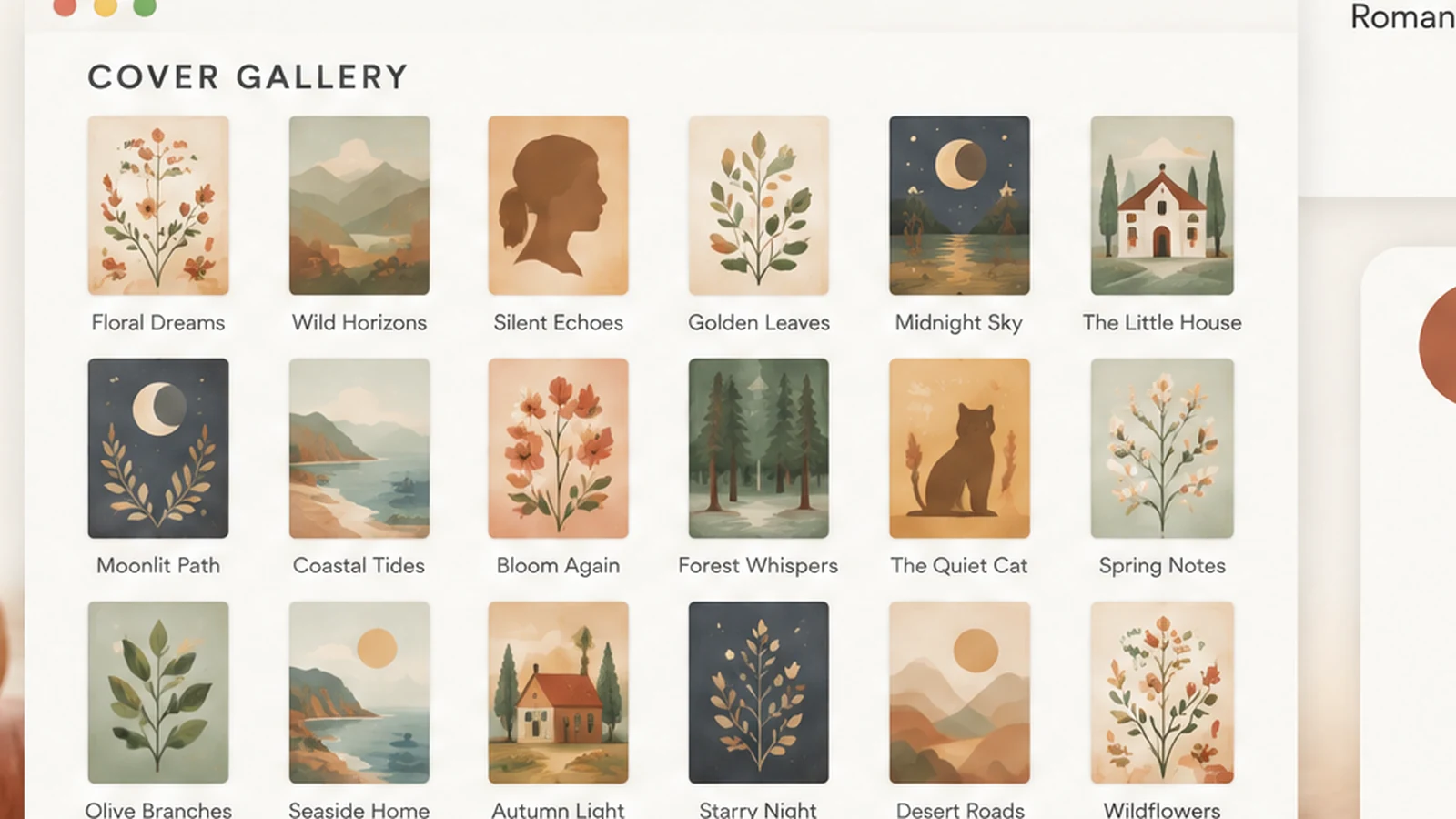
A full tracker splits one entry across many views. Here's how the Ultimate Book Tracker is laid out, so you can borrow the structure even if you build your own.
| Section | Tabs | What it does |
|---|---|---|
| Start & Log | Start Here, Settings, Reading List | Setup, your own formats and statuses, one row per book |
| See Your Reading | Dashboard, Monthly Wrap-Up, Book Card + Book Filter, Reading Calendar, Reading Tracker | Totals, wrap-ups, search, a 12-month tracker |
| Your Books | My Library, TBR & Wishlist, Purchased, Series Tracker | What you own, what's next, what you spent |
| Shelves & Covers | Reading Shelves, Cover Gallery | Spines and covers |
The Reading List holds the fields from the table above and more: edition, source, start and finish dates, genre, series, price, tags, review, favourite quotes. Enter a book once and the other tabs update.
Two tabs in particular do work that DIY sheets rarely reach. The Series Tracker holds order, owned and read for each book, so the next book in a fantasy series is one glance away. My Library keeps location and a "loaned to" date, with a search for "do I already own this?".
What Keeps a Reading Sheet Going
A sheet lasts when logging takes seconds and the payoff shows up every month.
Log each book at the moment you finish it. A book logged on the day has its real rating and its real page. A book logged in December has a vague one.
Use a few statuses and keep them fixed. TBR, Reading, Read, DNF and Rereading are enough. More options make logging slower.
Create one monthly summary you look forward to. A wrap-up page you can screenshot is a reason to open the file. It is a better motivator than a goal that only scolds you.
Keep your app if you like it. Goodreads or StoryGraph can stay your social shelf. The spreadsheet is the private record behind it, in the format you chose.
Where the Ultimate Book Tracker Fits
Most readers stall on double entry. The Ultimate Book Tracker is built around entering each book once, so it comes as one Google Sheets file and one Excel file with the same 14 tabs, with room for 5,000 books.
Inside are the Dashboard with a year filter, half-star ratings, the reread count, DNF and audiobook hours, plus a printable reading journal (PDF, 4 pages, US Letter and A4) for paper days. It costs $9 once, with no subscription and no account. We're the Cosmo Suite team behind it: see the about page and the editorial policy for how we write these guides.
It isn't an app: there is no barcode scanning, no reminders and no sync across devices, and the Excel file is made for Microsoft 365.
Frequently asked questions
How much does a book tracker cost?
It ranges from nothing to a yearly subscription. A spreadsheet you build yourself costs only your time. Some reading apps are free with paid tiers, and a ready-made file is a one-time price. The Ultimate Book Tracker is $9 once, with no subscription.
Is there a free online book tracker?
Yes. Goodreads is free and ad-supported, and a Google Sheet you build costs nothing. Free usually means your history sits on someone else's server, or that you do the formula work yourself. Other apps mix free and paid tiers, so check each one's pricing page.
Can a spreadsheet track audiobooks, rereads and DNFs?
Yes, if you give them their own columns. Add a format column with audiobook as a choice, a status column that includes DNF, and a reread count. Apps often fold all three into one status, which is why spreadsheet readers add the columns.
Do I need to know formulas to use a book tracker spreadsheet?
For a build-your-own sheet, a few: COUNTIFS, SUMIFS and AVERAGEIF cover most stats. With a ready-made file the formulas are written for you. Ultimate Book Tracker's Start Here tab walks you through setup in three steps.
Can I use it on my phone?
A Google Sheet works in the free Google Sheets app, though typing is easier on a computer. The Ultimate Book Tracker runs the same way: set it up on a computer, then log books from the Sheets app.