StoryGraph vs Goodreads: Which Reading Tracker Fits You?
StoryGraph and Goodreads both track DNF, rereads and fractional ratings. Compare their stats, privacy, community and price, checked 11 November 2026.
By Ultimate Book Tracker by Cosmo Suite · Editorial policy · Last updated
Disclosure: we make Ultimate Book Tracker, one of the two products compared here. Facts about StoryGraph come from its public pages, linked with the day we checked them.
The short answer
Pick StoryGraph if mood based recommendations, reading stats and per-book privacy matter most. Pick Goodreads if you want its established reader community and social features. Both now support DNF, rereads and fractional ratings. If you want a record in a file you keep, a spreadsheet is a different option, but it does not replace either app's community or recommendations.
Feature comparison
| Feature | Ultimate Book Tracker | StoryGraph | Notes |
|---|---|---|---|
| Free reading tracker | No | Yessource | StoryGraph describes its app as free to use, with optional Plus. |
| Mood and pace based discovery | No | Yessource | StoryGraph offers mood and pace filters and recommendations; the tracker records your reading without suggesting books. |
| Per-book privacy setting | Yes | Yessource | StoryGraph lets a reader mark individual books private. The file-based tracker is kept in the buyer's own spreadsheet account or files. |
| Did-not-finish status | Yes | Yessource | StoryGraph lists built-in DNF as a reading status. |
| Reread history | Yes | Yessource | StoryGraph counts a reread as a separate book in its reading timeline. |
| Fractional star ratings | Yes | Yessource | StoryGraph offers half and quarter stars; the tracker uses half stars. |
| Import a Goodreads library | No | Yessource | StoryGraph's help says it can import Goodreads exports. The tracker has no automatic importer. |
Pricing
| Product | Price | Checked |
|---|---|---|
| Ultimate Book Tracker | $9 one-time paymentOne Excel file and one Google Sheets file, with 14 connected tabs and room for 5,000 books. | Our current price |
| StoryGraph | $49.99/year for Plus; free tier availableAnnual Plus price shown on StoryGraph's official page. | As of · source |
Prices change. StoryGraph's price is as listed on its own pricing page on the day shown; check it there before you buy.
Who should pick which
Pick Ultimate Book Tracker if
- You want your reading history in a spreadsheet file you can keep and edit.
- You want connected sheets for books, goals, stats, DNFs and rereads without an app account.
- You want a one-time purchase rather than another subscription.
Pick StoryGraph if
- You want mood and pace based recommendations and reading charts.
- You want to join an active reader community, follow friends and share reviews.
- You want to try a free app or import an existing Goodreads library.
Where StoryGraph is strong
- StoryGraph provides an app, a free tier, book discovery by mood and pace, and recommendations; a spreadsheet does not suggest titles.
- StoryGraph has community features such as buddy reads and book clubs that a personal file cannot provide.
- StoryGraph can import Goodreads library exports, while Ultimate Book Tracker requires manual entry or copying.
StoryGraph and Goodreads both let you keep a reading history. Each can record a book you stopped before finishing, track rereads and accept fractional ratings. The choice comes down to what you want to do around that record.
TL;DR: StoryGraph suits readers who want discovery and ready-made stats. Goodreads suits readers who rely on its community and reviews. Both now support DNF, rereads and fractional ratings. A spreadsheet is for readers who want a record in a file they keep.
StoryGraph is a better fit if you want mood and pace based discovery, reading statistics and options to keep individual books private. Its Plus page describes the paid plan and stats features. Goodreads is a better fit if your reading life runs through friends, reviews, groups and a familiar shared shelf. Goodreads remains free to use.
We make Ultimate Book Tracker, a spreadsheet product. It is one Excel file and one Google Sheets file with 14 connected tabs and space for 5,000 books. It is for readers who prefer a file-based record and can live without a reading app's social and discovery features. It costs $9 once. Features and prices on this page were checked against official pages on 11 November 2026.
StoryGraph vs Goodreads: the practical differences
The practical difference is what each product helps you do after you log a book. StoryGraph is a reading app with discovery and stats. Goodreads is a social reading site for shelves, reviews and community. Both are services you access online; a spreadsheet gives you more direct control over a file, but adds work and loses the network around a book. A reading log is a record of the books you start, finish or leave unfinished, along with the details you want to remember.
| If you care most about… | StoryGraph | Goodreads | Spreadsheet file |
|---|---|---|---|
| Discovering books by mood or pace | Mood and pace filters and recommendations | Reader recommendations and catalog discovery | No recommendations |
| Reading friends' reviews | Social features and buddy reads | Friends, reviews, groups and discussions | No community |
| Personal reading stats | Reading charts; more filters and custom charts in Plus | Reading challenges and account reading history | Your data in connected tracker tabs |
| DNF, rereads and fractional ratings | DNF, reread tracking and half or quarter stars | DNF shelf, multiple read dates and quarter-star ratings | DNF, reread count and half-star rating fields |
| Keeping your library private | Per-book privacy controls | Account and profile privacy settings | You hold the spreadsheet files |
| Moving an existing Goodreads library | Goodreads export import | Your existing account | Manual copy; no automatic importer |
The app details in the table come from each service's own product pages and help announcements. The spreadsheet column describes Ultimate Book Tracker's current contents. It is a file, so it has no recommendation engine or import tool.
What StoryGraph does well
StoryGraph is built around reading discovery and reflection. Its mood and pace filters let you look for a particular kind of reading experience, while its charts summarize your reading. StoryGraph Plus adds custom charts and more ways to filter stats. If you enjoy looking back at your reading by mood, format or other dimensions, this is a clear reason to choose the app over a spreadsheet.
StoryGraph also supports importing a Goodreads export. Goodreads explains how to download that library export as a CSV. That can make a switch less tedious for someone with years of shelves and ratings to bring along. Check the app's current import instructions before you start, and review the imported rows after processing: editions and shelf names may need attention in any migration.
For readers who want some control over visibility, StoryGraph added an option to mark individual books private. Its changelog entry says private books are hidden from profile, shelves, stats, wrap-ups and feed, while still included in some aggregate counts such as books and pages. A private book can still appear in those aggregate counts.
StoryGraph also has buddy reads and book clubs. You can read alongside others and discuss books in the app. If those features are central to your reading routine, a spreadsheet will not fill the same role.
What Goodreads does well
Goodreads remains useful when the social layer matters. Its site centers on friends' bookshelves, reviews and recommendations. If the people you read with already use it, their activity and reviews can be more valuable than a set of extra charts. Amazon announced the acquisition of Goodreads in 2013, and described Goodreads as an Amazon subsidiary in 2017. Some readers consider that corporate connection when choosing where to keep a library; others may be comfortable with it and prefer the community they already have.
Goodreads has added DNF, reread and fractional-rating features. DNF is a status for a book you started but chose to stop before the end. Its Did Not Finish shelf announcement describes a way to record progress on a book you stop. The service supports rereading with multiple read dates, and in October 2026 announced quarter-star rating increments. Check these features before switching for something you may already have.
Goodreads lets you export your library as a CSV through its Import and Export area. That matters if you want a local copy or plan to use StoryGraph's importer. Exporting is a snapshot, though: it does not automatically keep another copy current as you add books. Always check the export and import instructions on the services before changing your workflow.
Stats and tracking: app or spreadsheet?
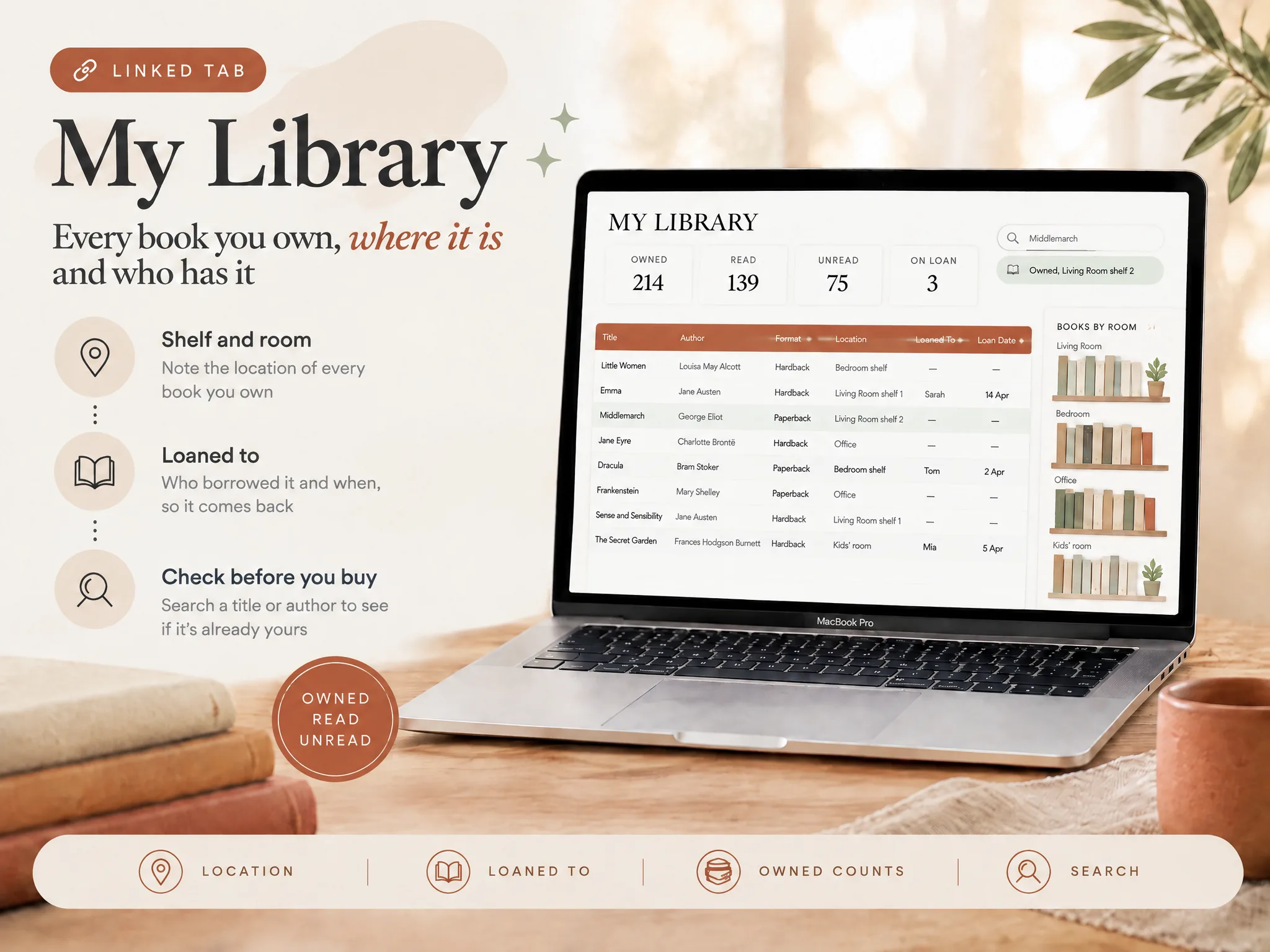
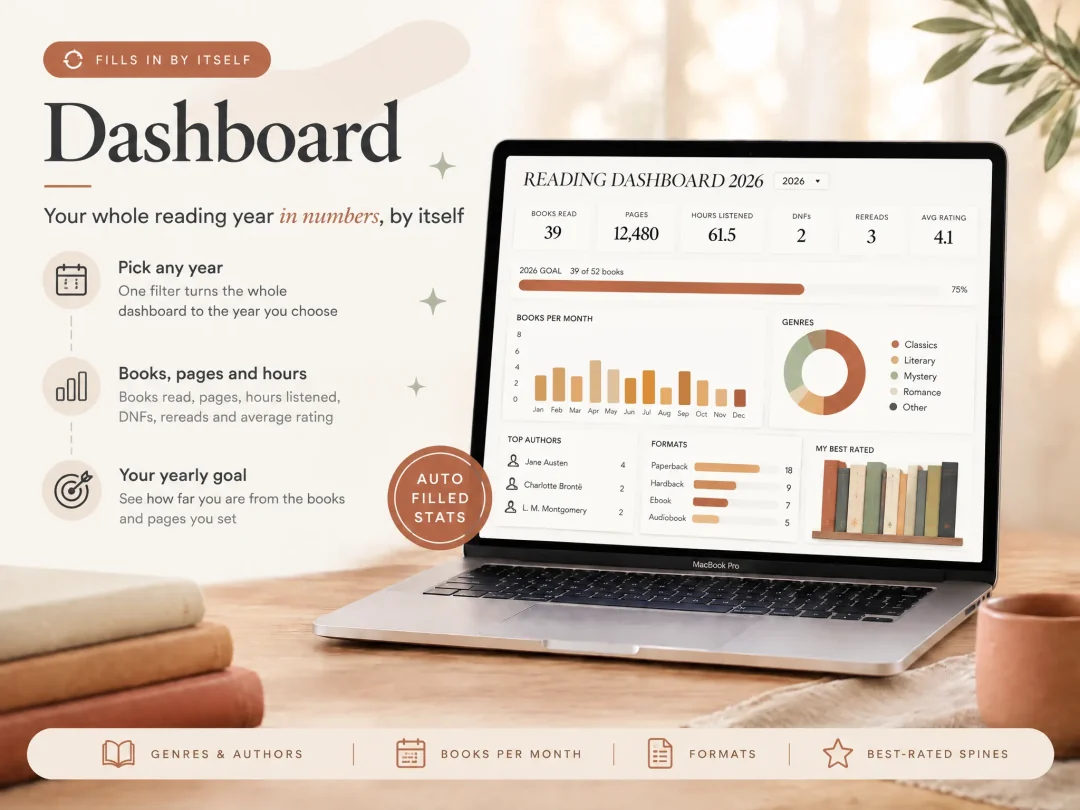
StoryGraph's stats are generated by the service and are ready to explore. Ultimate Book Tracker takes the opposite approach: you enter books in a spreadsheet, and its connected tabs summarize details such as books read, pages, rereads, DNF status, ratings and audiobook hours. You can edit the file and use it in Excel or Google Sheets, but you are responsible for keeping your entries accurate.
The product includes a Reading List with TBR, Reading, Read, DNF and Rereading statuses, plus fields for reread count, pages, listening hours, half-star ratings and notes. It has room for 5,000 books. There is no Goodreads import, barcode scan, syncing service or recommendation engine. If bringing over a large library in one step is important, StoryGraph's importer is the more convenient path.
For an app-first reader, StoryGraph wins on convenience and visual exploration. For someone who wants a record that lives in their own spreadsheet account or local files, a spreadsheet is a different trade. You can choose the columns and keep working with the file, but you give up automatic charts based on app activity and social connections.
Privacy and ownership are different questions
“Private” can mean a few things: who can see a book on your profile, who operates the service, and who has a copy of your underlying data. StoryGraph's per-book private setting addresses visibility inside its service. Goodreads provides account and profile privacy controls. Neither app is simply the same as storing a file yourself, and a spreadsheet is only as private as the account, device and sharing settings where you keep it.
Goodreads belongs to Amazon. StoryGraph is independently operated. Those ownership facts do not by themselves describe how either service handles every piece of personal data, so read the current privacy policies if that is your deciding factor. A file-based tracker avoids creating a reading account with these services, but does not automatically protect a file you share or store in a cloud account.

Price: free app, paid extras, or one-time file
StoryGraph's core service is free to use. StoryGraph Plus is listed at $49.99 per year, billed annually. Its page describes extras such as custom charts, more stats filters, custom period wrap-ups, stat comparisons and priority support. Start with the free tier if you are unsure whether you need those extras.
Goodreads has no membership fee, according to its official help page. Ultimate Book Tracker costs $9 once for the Excel and Google Sheets files. There is no recurring tracker fee, but the file does not come with app features like book discovery, community or automatic imports. The price difference is only useful when the products do the job you want: a free app with features you use can be a better value than a one-time file, and a paid app tier may be worth it if you actively use its advanced stats.
Who should choose which?
Choose StoryGraph if you want an app that helps you find books by mood and pace, want ready-made reading charts, or want to import your Goodreads library. Try the free tier first. Consider Plus if its additional filters and custom charts solve a real need for you.
Choose Goodreads if you already get value from friends' shelves, reviews and discussions. Its recent additions mean you can keep DNF books, reread dates and quarter-star ratings there. If you only want better tracking, explore the settings and shelves you already have before moving your whole library.
Choose a spreadsheet if your priority is keeping a personal record in a file you control, with fields that fit how you read. Ultimate Book Tracker includes connected sheets for a reading list, goals, dashboards and a printable journal. Its tracker overview lists the included files and how they work together. It takes manual entry and has no community, recommendations or Goodreads importer. If you prefer to build your own, the book tracker spreadsheet guide explains the basic setup.
You can keep more than one. Use Goodreads for reviews and friends, StoryGraph for stats and discovery, and a spreadsheet for a copy shaped around your own fields. This means entering some details twice, so it works best when each record has a distinct job.
Where StoryGraph is strong
StoryGraph's strongest case is the combination of discovery, statistics and reading with others. Mood and pace filters are useful before you choose a book; stats help you review patterns afterwards; buddy reads and book clubs give the record a social dimension. The free tier makes it possible to explore that flow without starting with a subscription.
It also supports Goodreads imports and lets you mark individual books private. Those are concrete conveniences for readers moving from an existing library or wanting more control over the visibility of selected titles. A spreadsheet cannot match that guided migration or the connected reader network.
Why trust this comparison?
We make Ultimate Book Tracker, so this page has a commercial interest in the spreadsheet option. We checked competitor prices and feature claims against StoryGraph and Goodreads pages on 11 November 2026. The services' advantages and the spreadsheet's limits are described here so you can decide based on how you actually track books.
For more on who makes the product, see About us. Our editorial policy explains how we source and update comparisons.
Start with the job you want the tracker to do. StoryGraph and Goodreads add discovery or community to the log. A spreadsheet gives you a personal record in a format you control. If you are still deciding, think about the first task you want to do each week: find a book, talk about one you finished, review your stats or keep a flexible record. That task usually points to the better fit.
One useful way to decide is to test the same three moments in each option: when you pick your next book, when you stop a book early, and when you review your year. StoryGraph supports the discovery step and ready-made stats; Goodreads gives you its social trail and DNF shelf; a spreadsheet lets you shape the record but requires you to maintain it. This small workflow test is more revealing than a feature count because it checks whether the product fits the habits you already have.
Methodology: We checked each service's official product, help and announcement pages on 11 November 2026. A feature appears as supported only when its service described it publicly. Our three-moment test groups features around choosing, stopping and reviewing books, which helps show how each option fits a weekly reading routine.
Frequently asked questions
Is StoryGraph better than Goodreads?
It depends on what you want from a reading tracker. StoryGraph is a strong fit for reading stats, mood and pace discovery, and per-book privacy. Goodreads is a strong fit for readers who use its friends, reviews and community. Both now support DNF, rereads and fractional ratings.
Does StoryGraph have a free version?
Yes. StoryGraph offers a free tier. StoryGraph Plus is optional and costs $49.99 per year on the official page checked on 11 November 2026.
Can I import Goodreads into StoryGraph?
StoryGraph's official help says you can import a Goodreads library export. Export your Goodreads library first, then follow StoryGraph's importer instructions; check both services for current steps.
Can Goodreads track books I did not finish?
Yes. Goodreads added a Did Not Finish shelf in March 2026. You can mark a book DNF and record your progress.
Can either app track rereads and half stars?
Both track rereads. Goodreads supports multiple read dates and now accepts quarter-star ratings; StoryGraph counts rereads separately in its reading timeline.
Sources
- StoryGraph home page
- StoryGraph Plus
- StoryGraph changelog: private books
- StoryGraph: how rereads count
- StoryGraph Buddy Reads and readalongs
- Goodreads Did Not Finish shelf announcement
- Goodreads rereading announcement
- Goodreads fractional star ratings announcement
- Goodreads export library help
- Amazon announcement of Goodreads acquisition
- Amazon describes Goodreads as a subsidiary
- Goodreads About page
- Goodreads help: membership fee
- Goodreads privacy policy
