Reading Journal Template: 4 Printable Pages and a Digital Log
Reading journal template with four printable pages and a digital log: choose a format, record each book, and keep notes you will find later.
By Ultimate Book Tracker by Cosmo Suite · Editorial policy
Published · 7 min read
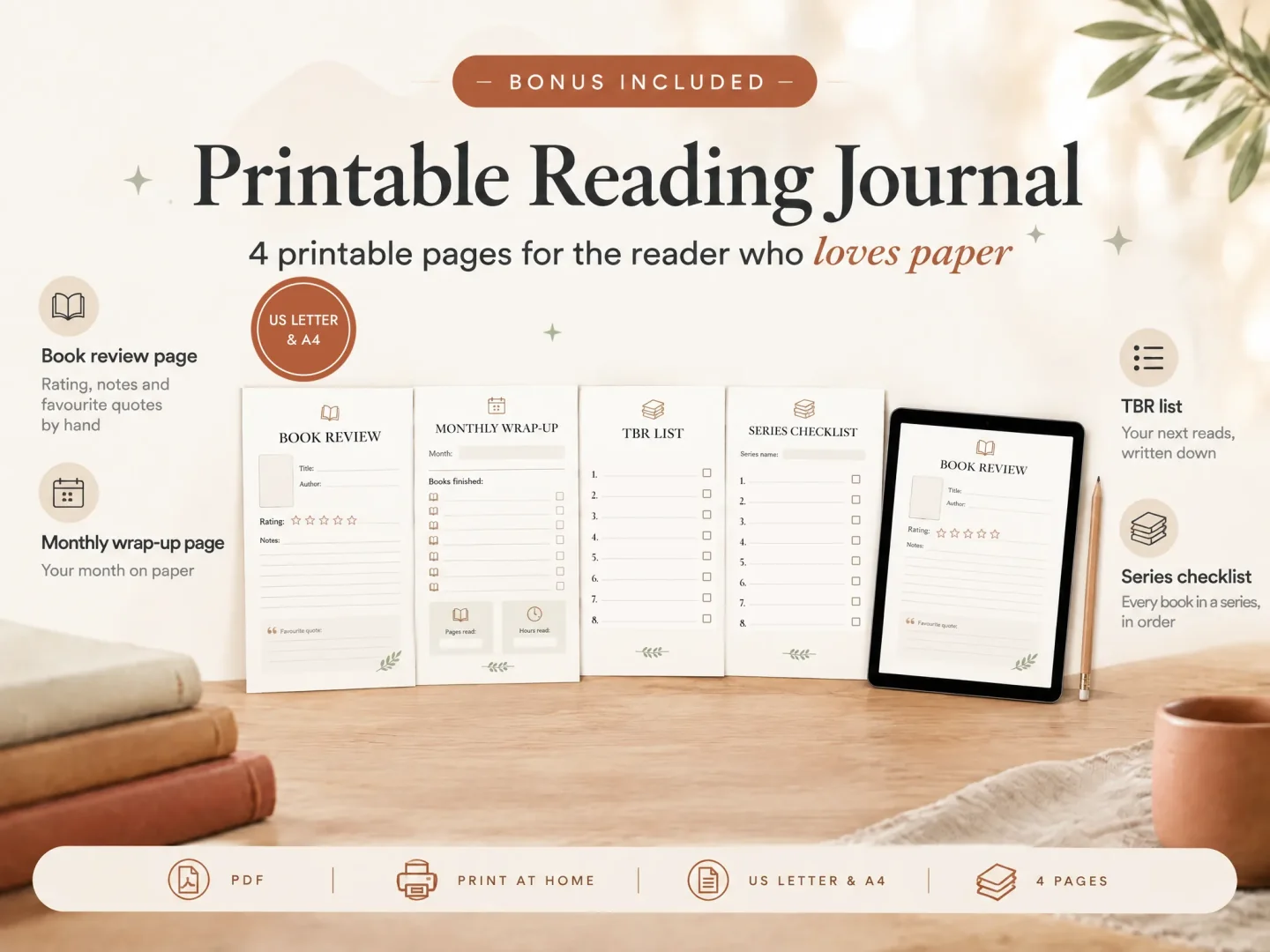
A reading journal is a record of what you read and what you want to remember about it. A reading journal template gives each book a repeatable place for those details. Start with a title, author, dates, rating, and a short note. Then choose whether to write on paper, type into a file, or keep both a reflective journal and a searchable list.
A layout should suit the moment you finish a book. A single printable page can invite a few careful lines. A digital log can make it easier to find a title or compare reading across a year. Leave out fields you do not expect to use.
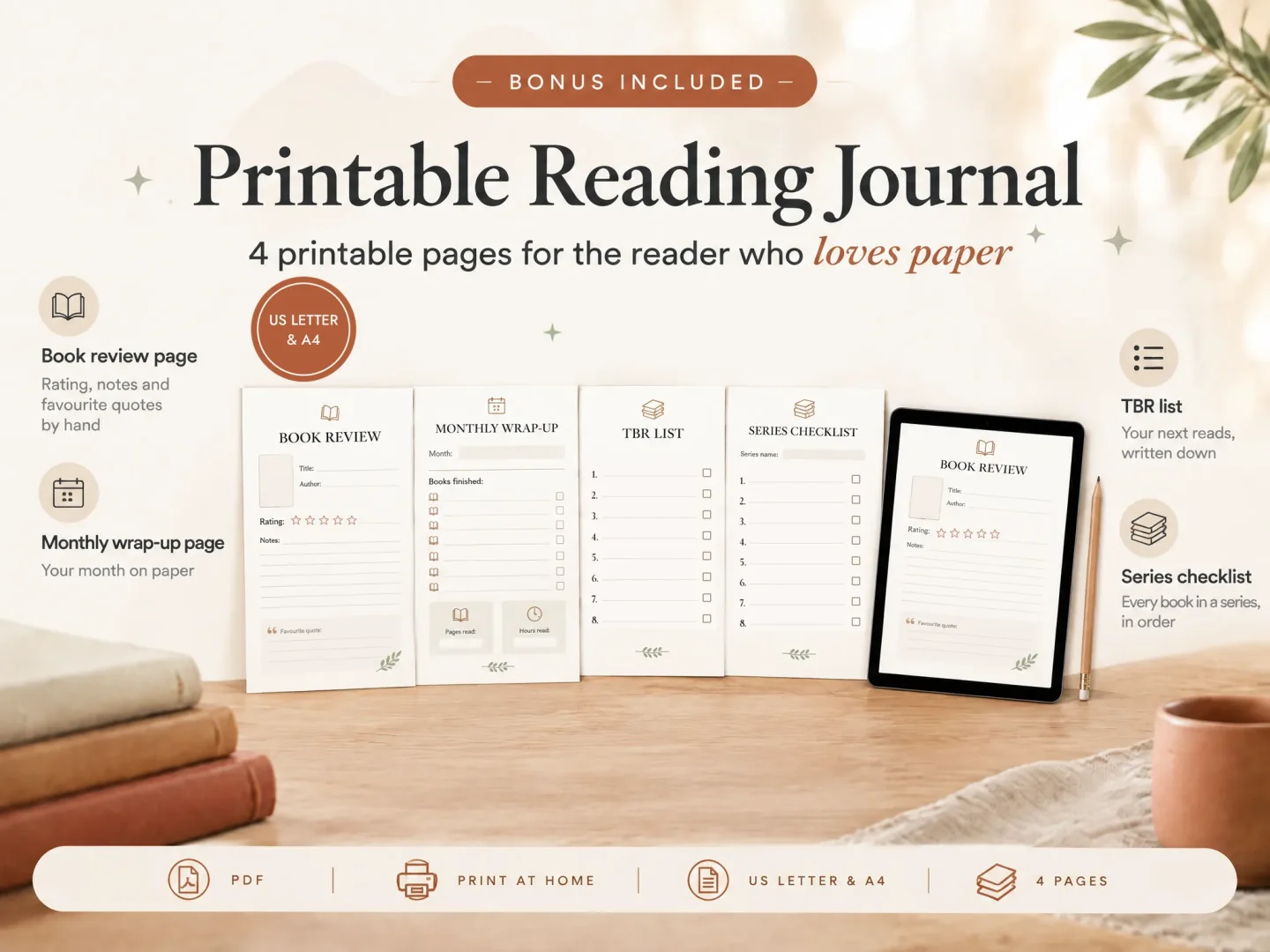
If you want a printable journal plus a digital record, Ultimate Book Tracker (by Cosmo Suite: one Excel and Google Sheets file, 14 tabs, $9 once) includes a four-page PDF journal in US Letter and A4, alongside both spreadsheet versions. Product details in this article were checked against the listed contents on 3 November 2026. The example figures below describe one reading year from that product context; they are not a reader survey.
Key takeaways
- A short prompt and a few useful fields can make a journal easier to revisit.
- Use a printable for handwriting and a spreadsheet when you want to sort or total entries.
- The Ultimate Book Tracker includes both a four-page printable PDF and two spreadsheet files.
Reading journal templates at a glance
Choose a reading journal by deciding where you want to write, what you want to look back on, and whether you need to find or total entries later. Printables suit handwriting. A digital document or PDF can keep entries on a device. A spreadsheet is useful when search, sorting, and totals matter.
| Format | How you record a book | Finding past entries | Best for |
|---|---|---|---|
| Printable pages | Handwriting | Flip through pages | Readers who enjoy writing on paper |
| Annotated PDF | Typed or handwritten notes in a compatible app | Search depends on the app and file | Readers who want a page-like journal on a device |
| Spreadsheet log | One row per book | Sort and filter fields | Readers who want a searchable list or totals |
| Hybrid journal and log | Reflect on paper, keep brief digital details | Find titles in the log | Readers who want both reflection and retrieval |
Start with the format you will actually open. You can keep the reflection short and use a separate list for details such as dates or format. A book tracker template can help you choose fields for that list.
What should a reading journal template include?
A reading journal template should capture enough about each book to bring it back to mind later. A title and author identify it. Dates and a status show where you are in the reading. A rating or a few personal notes preserve your response. Add fields for goals, genre, or monthly totals only when you will use them.
Think of each field as an answer to a question you may ask in the future:
| Future question | Useful field |
|---|---|
| Which book was that? | Title and author |
| When did I read it? | Start and finish dates |
| How did I read it? | Print, ebook, or audiobook |
| What did I think? | Rating and a short note |
| Where did I stop? | Status and optional stopping point |
| Would I remember the series? | Series name and number |
You do not have to fill every field. Leaving a blank is better than inventing a detail or turning a journal entry into data entry. If you often forget why you kept a book, add a prompt such as “What stayed with me?” instead of a long questionnaire.
For a printable page, leave enough room for handwriting. For a digital log, keep repeated details in their own fields so you can filter them. The book tracker spreadsheet guide shows how a single book list can feed other views.
Four printable pages or a journal you build yourself?
A four-page journal is a compact starting point when you want a ready-made paper record. A DIY journal gives you control over prompts and page order. A notebook gives you the most freedom, but you decide how to keep entries consistent and find them again.
| Choice | What you decide | Trade-off | Best for |
|---|---|---|---|
| Four-page printable | What to write in the provided spaces | Compact; less room for custom sections | Readers who want a short guided journal |
| DIY printable | Page size, prompts, and number of copies | Requires layout and printing decisions | Readers with specific prompts in mind |
| Blank notebook | Each page as you go | Flexible, but entries may vary | Readers who enjoy an open-ended notebook |
| Digital log | Fields, filters, and note length | Searchable, but less like a handwritten journal | Readers who revisit lists and totals |
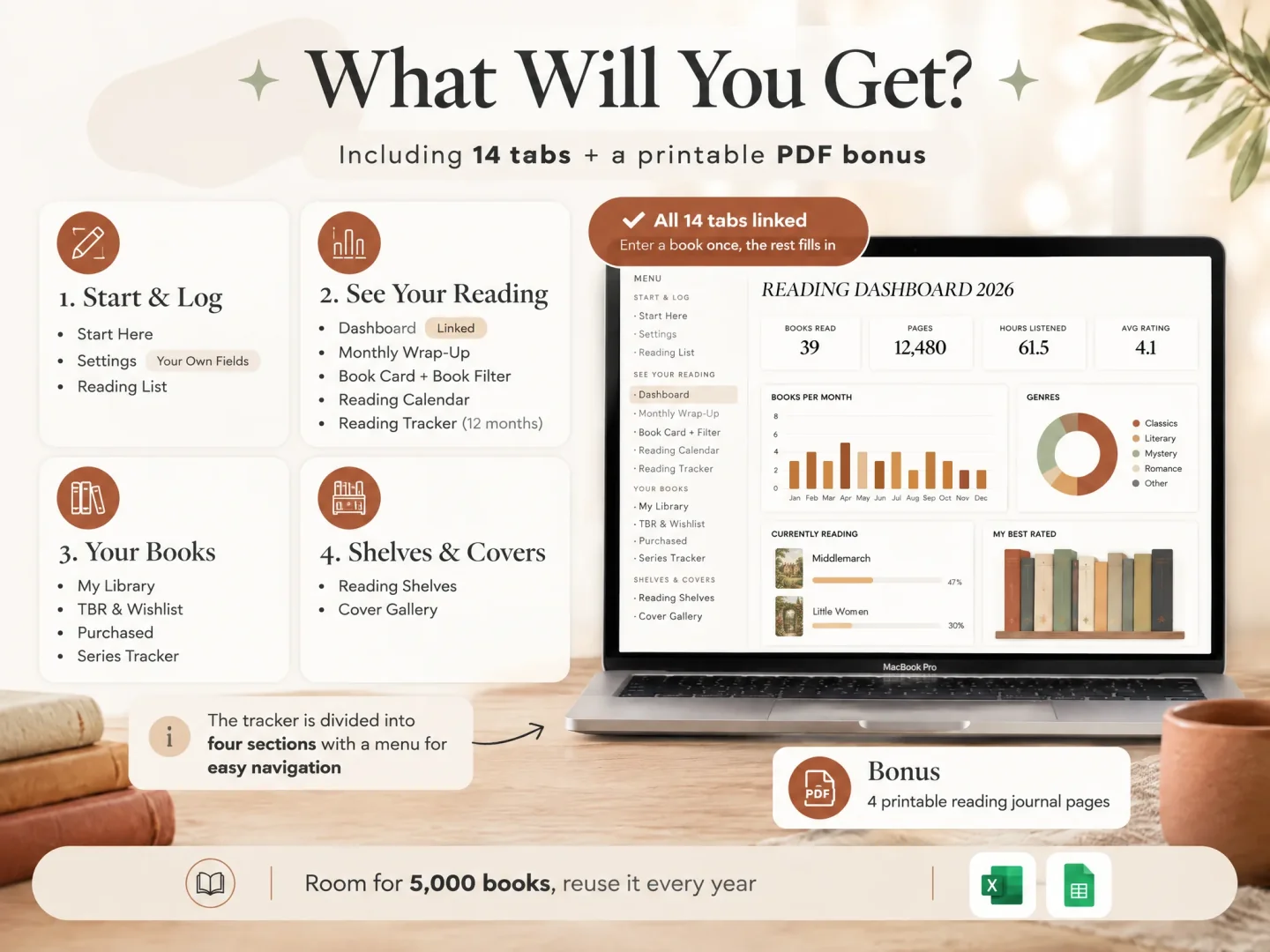
The Ultimate Book Tracker printable journal is a four-page PDF in US Letter and A4. The Excel and Google Sheets files contain the same 14 tabs, including Reading List, Book Card, and monthly views. Enter a book in Reading List and the connected views update from that record. Keep the PDF for handwritten reflection and the spreadsheet for details you want to sort or review.
For one example reading year, the Dashboard can show totals alongside a record of individual books: 42 books, 9 DNFs, 3 rereads, and one fantasy series in progress. A journal entry can hold a short reflection on the books that stayed with you. The digital list can preserve status, dates, and series order. The counts are an example from the product context, not a typical result or a target.
For one example reading year, the Dashboard can show totals alongside a record of individual books: 42 books, 9 DNFs, 3 rereads, and one fantasy series in progress. A journal entry can hold a short reflection on the books that stayed with you. The digital list can preserve status, dates, and series order. The counts are an example from the product context, not a typical result or a target.
How do you make a reading journal template?
Make a reading journal template by choosing a small set of repeatable prompts, testing them on a few books, and editing the layout based on what you want to remember. Begin with identification and one reflection prompt. Add tracking fields only when they answer a question you ask often.
- Choose the job. Decide if the journal is for reflection, reading history, goals, or a mix. One page does not need to do all four jobs.
- Pick the format. Use paper for handwriting, a PDF for page-style notes on a device, or a spreadsheet for structured records.
- Choose your prompts. Try title, author, dates, rating, and “What do I want to remember?” Keep the wording short enough to answer.
- Leave optional space. Add a notes area or an “other” field rather than a fixed prompt for every possible detail.
- Try a few entries. Notice which fields you skip and which details you wish you had recorded. Revise before copying the layout for the whole year.
For a spreadsheet, Google Sheets supports checkboxes that can be used with filters and formulas. Excel supports sorting and filtering a list. See the official Google Sheets checkbox instructions and Excel basics for the controls available in your version.
How can a digital reading journal stay easy to use?
A digital reading journal stays easy to use when each entry takes only a few consistent details and your notes remain optional. Keep the title, author, status, and dates distinct. Use a short note for your response instead of trying to capture every thought while you read.
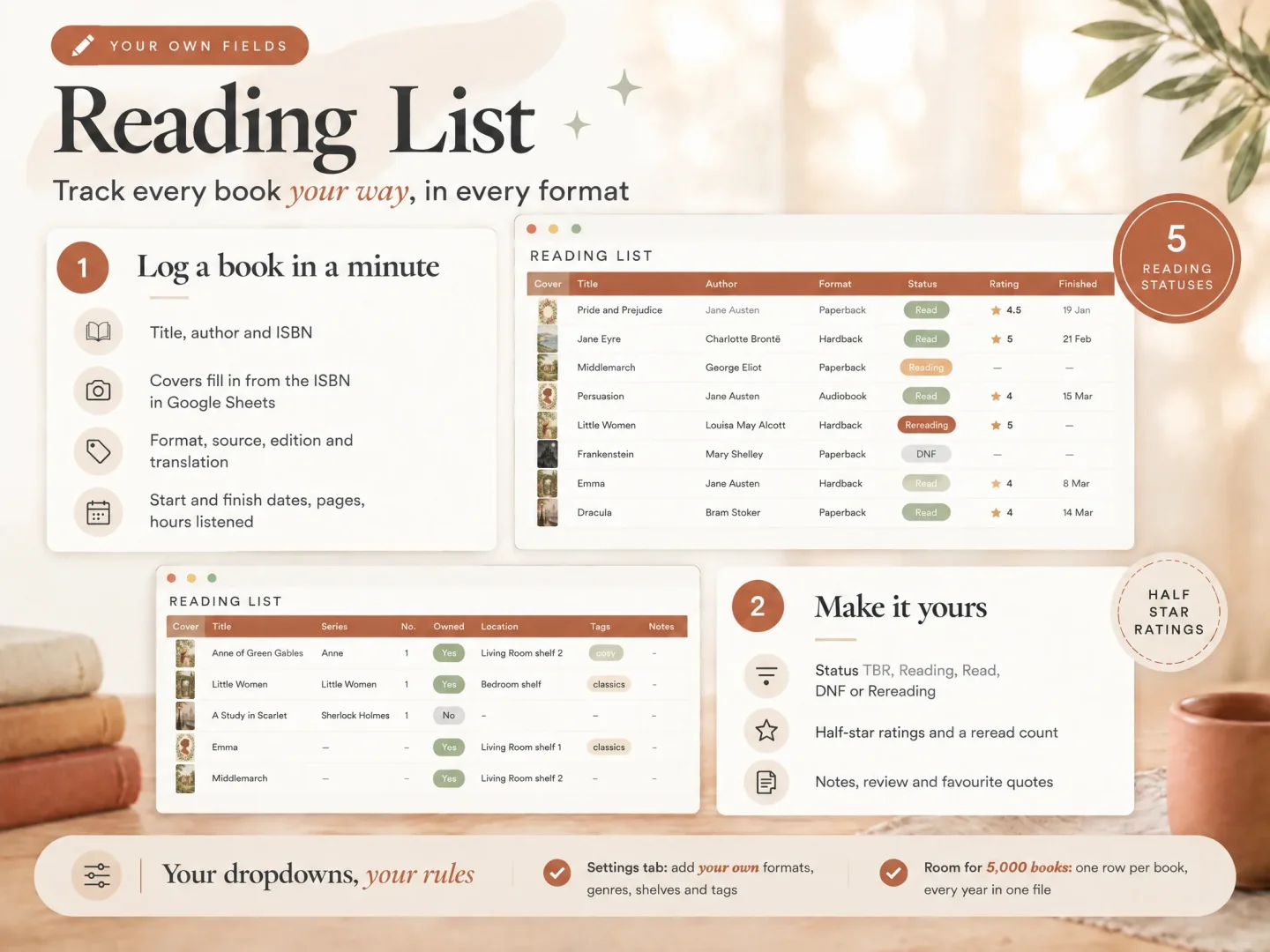
If you use a spreadsheet, choose clear status values such as TBR, Reading, Read, DNF, and Rereading. Use one row per book, and keep reading format separate from status. This lets “audiobook” answer how you read while “Read” answers where the book stands. If you track pages and listening time, keep those measures separate too.
Do not make a daily entry routine unless daily details matter to you. A finished-book note may be enough. Readers who want to remember their response can use a few lines about what stood out, what they would tell a friend, and whether they would return to the book. Our guide to remembering what you read offers a short note structure.
What makes a reading journal worth revisiting?
A reading journal is worth revisiting when it helps you retrieve a memory or notice a pattern without asking you to maintain more detail than you want. A useful entry points back to the book: what it was, when you read it, and one thing you thought or felt.
Try a simple three-part note after finishing:
- Keep: a scene, idea, or image you want to remember, described in your own words.
- Question: something you are still thinking about.
- Return: whether you would reread it, recommend it, or look for another book by the author.
This is a prompt, not a required review. A phrase or a blank answer is fine. If you collect passages, use your own notes and follow the rules that apply to the book and your use of its text. The journal can help you remember your reading without becoming a place to copy long passages.
For an overview, a digital tracker can keep the details together. Ultimate Book Tracker includes one Excel file and one Google Sheets file with 14 connected tabs and room for 5,000 books. Its printable journal is a four-page PDF in US Letter and A4. See the included reading journal and tracker if a paper journal plus a searchable record fits your approach.
Choose a reading journal template by matching the format to your writing style and the questions you want to answer later. Use a printable for handwritten reflection, a spreadsheet for searchable records, or both if you want personal notes alongside a tidy list. Start with a few fields and change the layout after you have used it.
Frequently asked questions
What should a reading journal include?
Start with a book title, author, dates, a rating, and a few lines for your thoughts. Add pages for a TBR list, reading goals, or monthly totals only if you plan to use them. A small journal you keep using can be more useful than a large one you leave blank.
Can I use a reading journal template digitally?
Yes. You can type into a spreadsheet or annotate a PDF in a compatible note app. A spreadsheet is easier to sort and total; a printable page or annotated PDF can feel closer to handwriting. Check the file instructions before choosing a device or app.
How do I make a reading journal template?
Choose the details you want to remember, make one repeatable book page or row, and add only the overview pages you will revisit. Try it with a few books, then remove fields that slow you down or add one that you keep wishing you had.
Is a reading journal the same as a book tracker?
They can overlap. A journal usually makes room for reflections and notes. A tracker makes it easier to sort books or review totals. You can combine both by keeping a short book record with a notes field, then adding an overview if you want one.
What is included in the Ultimate Book Tracker printable journal?
It includes a four-page printable reading journal in US Letter and A4 sizes. The product also includes one Excel file and one Google Sheets file with the same 14 connected tabs. The journal is a PDF; the tracker files are spreadsheets.
Should I choose a printable or digital reading journal?
Choose a printable if you want to write by hand and do not need automatic totals. Choose a digital log if you want to search, filter, or review entries on screen. You can also use both: write a few thoughts on paper and keep a short searchable record digitally.